Virtual try-on with AI on a fictional model: what holds and what drifts
Put a garment photo on a fictional AI model with a try-on model. Cut and colour hold; prints, logos and hardware drift. Here is how to check and fix them.
You have a photograph of a garment: a jacket you sampled, a dress from your own rail, a skirt you shot on the floor. You want to see it worn without booking anyone. A dedicated try-on model does exactly that job, and it does it well enough that the interesting question is no longer whether it works but which parts of the garment survive the trip. This post is an audit: what a try-on keeps, what it quietly redraws, and how to catch the difference before a frame goes out.
One rule first. The person in the frame is a fictional model you generated, of legal age, invented for the purpose. Never put a garment on a photograph of a real person without their clear consent, and that includes friends, clients and anyone found online.
The tool and what it takes
Bria Virtual Try-On takes a person photo, one to three references of garments or accessories, and optional text instructions, and returns the person dressed in them. That is the whole contract. It is not a text-to-image model with a clothing hint; it starts from your pixels on both sides, which is why it can hold a garment far better than a prompt can describe one.
If you have not made the fictional model yet, the one-model lookbook guide covers building a neutral full-length plate. Here we start from that plate and a garment photo, and spend the time on the result.
Prepare the garment photo like evidence
The try-on can only keep what it can see. A garment shot in a dim room, folded on a bed or half hidden by a hand gives it gaps, and gaps get filled by habit. Before the first run:
- One garment per reference, whole in the frame, nothing cropped off at the hem or the cuffs.
- Flat or on a hanger, against a plain ground that contrasts with the fabric.
- Even, diffuse light, no hard shadow across the print or the logo.
- Straight on, so a pocket or a placket is not foreshortened into a different shape.
- Sharp focus on the details you care about most: the print, the label, the buttons.
What holds
Cut and silhouette come through reliably: a cropped boxy jacket stays cropped and boxy, a midi stays a midi, a wrap stays a wrap. Colour holds well for solid fabrics, provided the reference was shot in neutral light; a yellow lamp in the garment photo becomes a yellow garment on the model. Fabric behaviour (the drape of satin, the stiffness of denim) is usually believable, and proportion between pieces in one run, such as a short jacket over a long skirt, is respected.
What drifts
Everything small, repeated or meaningful. The model redraws fine detail rather than copying it, so the details that a buyer looks at first are the ones that move:
- Prints keep their colours and rough scale, but the motifs change: florals reshuffle, a stripe count shifts, a check stops lining up at the seams.
- Logos and lettering come back as shapes that look like text from across the room and read as nonsense up close.
- Hardware wanders: five buttons become four, a zip pull loses its slider, a buckle grows a second prong. The hardware checklist goes deeper on why.
- Trims such as piping, top-stitching and lace edges thin out or vanish where the garment folds around the body.
A five-minute check before you keep a frame
- Put the reference and the result side by side at the same height and compare the silhouette edge by edge.
- Count the countables: buttons, pockets, belt loops, pleats. Write the number down from the reference first.
- Zoom to full size on the print and check three motifs against the reference, not the overall impression.
- Read any logo or label letter by letter. If it is not the exact word, treat it as wrong.
- Check colour on a neutral area, such as the back panel, rather than in a shadow or a highlight.
How to fix what drifted
Start with the reference, not the result. A cleaner, closer garment photo fixes more drift than any instruction. Then use the optional text to name what must stay, plainly and first:
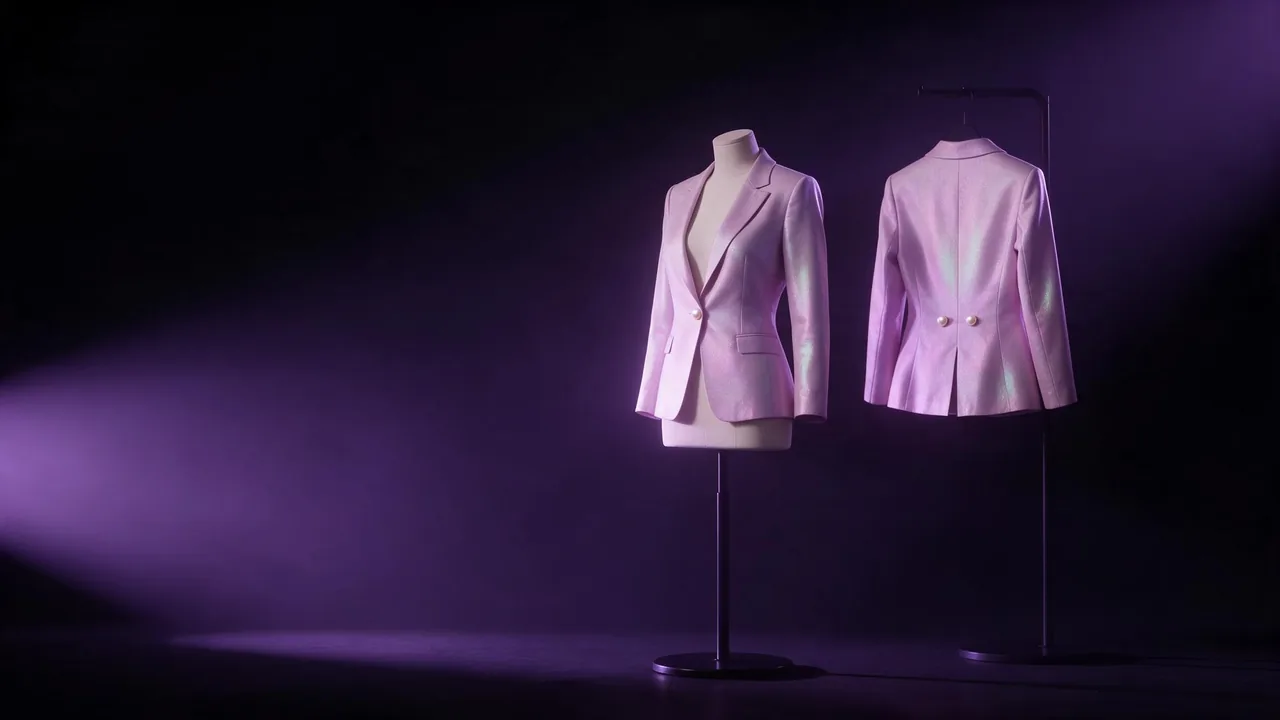
Dress the woman in the jacket from the reference. Keep exactly five pearl buttons in a single row, keep the lilac colour, keep the cropped length at the waist. Do not add pockets.If the garment is right except for one area, repair that area instead of re-running the whole try-on. An editing model that takes several images, such as Nano Banana 2.1 edit, can take the dressed frame plus a close crop of the original print or logo as a second reference, with an instruction to match that one region. Inspect the repair with the same five-minute check; an edit can trade one flaw for another. When a print keeps reshuffling no matter what, the print and pattern guide has the case for choosing a calmer pattern.
The honest limit
A try-on shows how a garment is likely to look worn. It does not promise a pixel-exact copy of a print, a legible logo or a true fit on a real body, so do not present its frames as product photographs of a real item. Use them for concepts, line sheets marked as visualisations, social drafts and lookbooks with an invented cast. The price of each render shows on the Generate button before you run it, so test a reference cheaply before you build a set around it. Compare the available tools on the models page and start in the studio.
Questions
Can I use a photo of myself or a friend as the person?
This guide is for fictional models you generated yourself. Never use a photograph of a real person without their clear consent, and never use one of anyone found online.
How many garments can one try-on take?
One to three garment or accessory references per run. For a fuller outfit, dress the model in two passes and check each pass before the next.
Why does the logo on my garment come out unreadable?
The model redraws small detail instead of copying it, so lettering turns into look-alike shapes. Repair the area with an edit model and the original logo as a reference, or keep the logo out of the shot.