Accessory shots without warped hardware: bags, shoes, belts and sunglasses
A checklist for AI accessory images: clasps, buckles, stitching and symmetrical frames, flat-lay versus on-body, and what to inspect before you re-roll a frame.
A dress can be a little wrong and still look right: a fold is a fold. A buckle cannot. A belt tongue that points at no hole, a clasp with two latches that do not meet, sunglasses whose left lens is bigger than the right: the eye catches these in under a second, even when it cannot say why the picture feels cheap. Accessories are hard-edged, symmetrical, mechanical objects, and image models are best at soft, forgiving shapes.
So this is a checklist rather than a vocabulary list. What to ask for, where each accessory usually breaks, and when to stop fixing a frame and simply render another. For clothing words and fabric, see the outerwear and knitwear guide; here the subject is the small hard parts.
Why hardware goes wrong
A model paints what a buckle usually looks like, not how a buckle works. Nothing in the picture checks that the prong fits the hole or that a zip pull is attached to a slider. Small parts also get few pixels, so the model fills in detail by habit, and habit is where the warping comes from. Three things help most: fewer parts in the frame, a simpler angle, and a clear name for each part you care about.
Pick flat-lay or on-body first
The choice decides how hard the job is.
- Flat-lay or still life: the object alone on a plain surface. Fewest things to go wrong, easiest to light, and the best way to get a clean reference of the piece. Start here.
- On-body: worn or carried by a fictional model. More believable and more useful for a lookbook, but now the hand, the strap and the clothing all interact with the hardware, and that is where most failures happen.
- Close detail crop: the clasp or the buckle filling the frame. Great texture, but every flaw is enlarged. Use it only when the render is clean at full size.
A sound routine: make the flat-lay until the object is right, then bring it onto the model as a reference rather than describing it again from scratch. Each fresh description is a fresh chance for the buckle to change shape.
Bags: clasp, stitching, handle
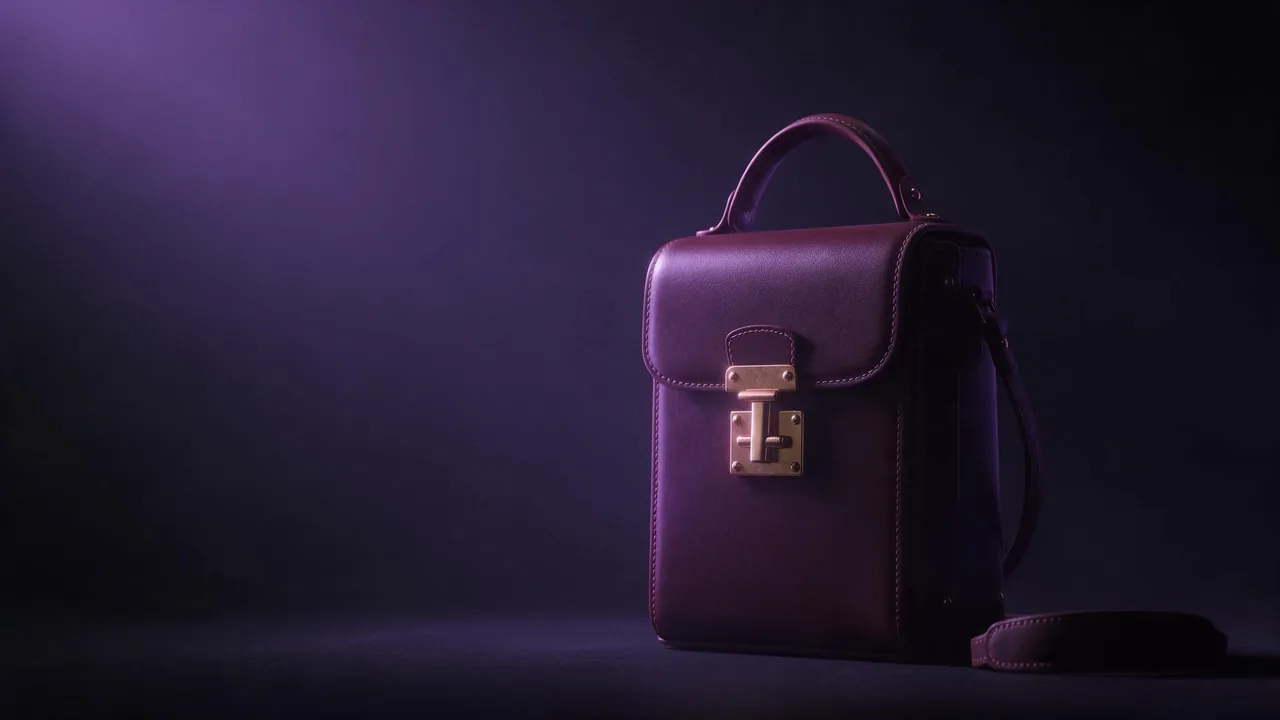
Name the closure: turn-lock, magnetic flap, twist clasp, zip-top, drawstring. A bag with "a gold clasp" gets a random one. Then check the junctions: where the handle meets the body, where the strap meets its ring, where the flap meets the front. Stitching should run in one straight line and stop where the seam stops; wavy or doubled thread is the sign of a weak frame. Say how many handles and straps there are, because a model is happy to add a spare.
Product photograph of a small structured leather bag in deep burgundy on a plain warm-grey surface, front view, centred. One short top handle, one detachable shoulder strap lying beside it. A single brass turn-lock clasp in the middle of the flap, crisp edge stitching in matching thread. Soft overhead light, gentle shadow, sharp focus on the clasp, 4:5.Shoes: the pair, the lace, the sole
Shoes fail in the pair. Left and right come out as the same shoe twice, or at slightly different lengths, or with a different toe. Show the pair from the side in a staggered stance and say so. Check the laces next: they should cross, thread through eyelets and end in a bow, and a lace that goes nowhere is the commonest tell. For heels, look at the heel's attachment and its height against the other shoe. Buckled straps, such as a Mary Jane bar, need the same prong test as a belt.
Belts: buckle, tongue, holes
A belt is one long object with one hard part, which makes it good to practise on. Say the buckle shape (a plain rectangular frame, a round one, a plate) and the finish (brushed silver, polished brass). Then audit: one prong, sitting in one hole, the loose end passing through the keeper and lying flat. Belts worn through trouser loops add a new risk, because the belt can disappear behind the clothing and reappear in the wrong place. If the line breaks, simplify to a belt on a plain surface and bring it to the model afterwards.
Sunglasses: symmetry first
Frames are a symmetry test. Put an imaginary line down the nose bridge and compare: lens size and shape, temple thickness, the hinge on each side. A front-on, flat view is the easiest to check; a three-quarter view hides one side and hides the flaw with it, which makes it a safer angle but not a better one. Ask for the shape by name (round, cat-eye, square, aviator) and a lens tint. Reflections in the lens are a trap: a mirrored lens invents a whole scene, so say a plain dark tint unless you want one.
What to check, and when to re-roll
- Open the frame at full size, not as a thumbnail.
- Count the parts: handles, straps, prongs, lenses, eyelets.
- Follow each strap or lace from end to end. It should start somewhere and end somewhere.
- Compare left and right on anything that comes in pairs.
- Check the stitching and edges for kinks, doubling or sudden stops.
- Look at where the object touches a hand, a shoulder or a surface.
A small flaw in a soft area (a fold, a shadow) can be left. A flaw in the hardware cannot. If the clasp, the buckle or a lens is wrong, a re-roll beats a repair: edits on a tiny hard part often trade one distortion for another. When the frame is otherwise right, an edit model such as Nano Banana 2.1 edit can redo one region while you pass the clean flat-lay as a reference, and Bria Relight can soften a harsh glare on metal. Both can still get a detail wrong, so inspect the result as you did the first.
Be realistic about what to expect. Hardware will not be identical between frames, an engraved logo will not be legible, and a product that must match a real catalogue item to the millimetre is outside what a generative model promises. Treat these images as fictional fashion visuals: a mood, a lookbook, a concept, with a fictional model of legal age if anyone is in the frame. The price of every render shows before you run it, so try the idea cheaply first and spend on the final.
For planning a whole set around one invented person, read the one-model lookbook guide and the art direction guide. Compare the available models on the models page and begin in the studio.
Questions
Why does my belt buckle look melted or the prong point nowhere?
The model draws what a buckle looks like, not how it works. Name the buckle shape and finish, ask for one prong in one hole, and try a plain surface first. If it still fails, re-roll instead of repairing.
Should I generate accessories on a model or on their own?
On their own first. A flat-lay gives you a clean reference and far fewer things to go wrong. Then place the piece on a fictional model using that image as a reference.
Can I get a real product to match exactly?
No. Generated images drift in small details such as logos, hardware shape and stitching. Use them for concepts and mood, not as a precise copy of an existing item.